Your iPhone and PC, one tap apart.
Send photos, videos, files and whole folders between your iPhone and Windows PC over your own Wi‑Fi. No cloud, no cable, nothing to install on the iPhone.
7 days free. No card needed. Windows 10 and 11.
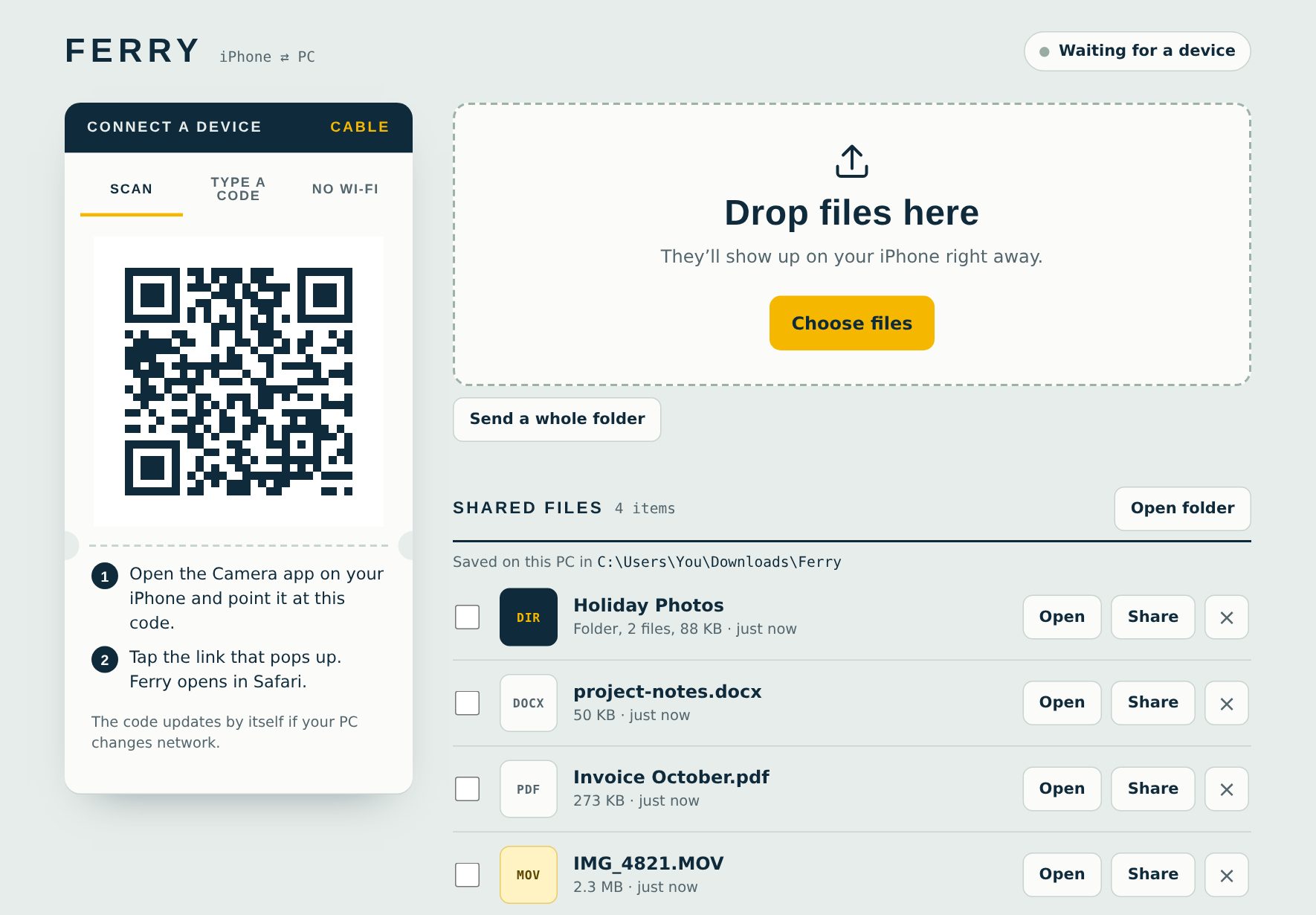
Three steps. Then it just works.
Ferry runs as one small program on your PC. Your iPhone uses Safari, so there is no app to install.
- Open Ferry on your PCDouble-click Ferry.exe. A page with a QR code opens.
- Scan with your iPhone cameraTap the link that pops up. Ferry opens in Safari. Add it to your Home Screen for one-tap access.
- Send anything, both waysTap to send from the iPhone. Drag files or folders onto the PC page to send the other way.
Built for how people really move files
The things other tools make awkward are the point of Ferry.
Works offline
Files go straight between your devices. No internet, no account, no upload limit. Even a router with no internet works.
Whole folders
Drag a folder to your phone, or send one from it. Folders keep their structure and save as one ZIP.
Private by design
Only your devices connect, using a private QR key or a 6-digit code. Nothing passes through our servers.
No Wi‑Fi? No problem
Use your iPhone hotspot, a USB cable, or turn your PC into the hotspot. Ferry guides you.
Share a link
Give a friend one file with a QR code. They download it from your PC, and you can stop it any time.
Text and links too
Paste a link or note on one device and copy it on the other. Big videos, screenshots, PDFs, all fine.
Try it free for 7 days
Download Ferry and use everything for 7 days with no card. Subscribe when you want to keep going. Cancel any time.
Not subscribed yet? Download and start the free trial. After subscribing you get a license key by email to paste into Ferry.
Questions
Does it really work without internet?
Yes. Your iPhone and PC only need to be on the same Wi‑Fi, even one with no internet. Ferry checks your subscription online about once a week and works offline in between.
Do I need an app on my iPhone?
No. Ferry opens in Safari when you scan the QR code. You can add it to your Home Screen so it feels like an app.
Is Ferry safe? Windows shows a warning.
Ferry is new, so Windows may show "Windows protected your PC". Click More info, then Run anyway. Ferry only talks to devices on your own network, and your files never leave it. When Windows asks about network access, allow Private networks.
Can I use it on more than one PC?
A license key works on one PC at a time. To move it, press Reset Key on your order page on Whop, then enter it on the new PC.
What happens when my trial ends?
Ferry pauses transfers and asks you to subscribe. Your files stay where they are.
Can I cancel or get a refund?
You can cancel any time from your Whop billing page, and you keep access until the end of the period you paid for. If something isn't working for you, contact us and we'll sort it out.
Does it work with Android or Mac?
Ferry runs on Windows PCs. Any phone with a browser, including Android, can connect with the 6-digit code.